
Free Laptop Mockup Maker
Create a Laptop Mockup Online
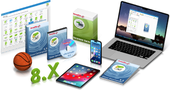
This laptop mockup displays your screenshot inside a realistic laptop device frame. It is a practical choice for showing websites, software interfaces, online services, web applications, dashboards, tutorials, and product demos.
The clean laptop presentation works well on product pages, landing pages, documentation pages, portfolios, ads, and social media posts. It helps turn a flat screenshot into a more professional and recognizable product visual.
How to Create Your Laptop Mockup in 4 Steps
- Choose Camera Angle — Select your preferred 3D perspective and scene layout from the available presets.
- Upload & Crop Artwork — Add your flat 2D designs and use the built-in Crop tool to frame and align your graphics to each surface.
- Adjust Scene Settings — Toggle realistic shadows, customize the reflection on the surface, or adjust proportions to match your artwork.
- Render & Download — Click Render to preview instantly, then download your 3D visual in your preferred resolution.
More 3D Cover Templates


Rendering Options & Resolution Tiers
FAQ
When should I use a laptop mockup?
Use a laptop mockup when you want to present a website, desktop app, dashboard, or online service as it would appear on a real computer screen.
Is this mockup suitable for website screenshots?
Yes. Website screenshots are one of the most common uses for laptop mockups, especially for landing pages, portfolios, and product presentations.
Can I create a device mockup online?
Yes. You can create a device mockup online by uploading a screenshot or interface image and placing it on a laptop, MacBook, iPhone, or another device.
Do I need Photoshop or PSD templates?
No. You do not need Photoshop, PSD files, or manual editing. Choose a device mockup, upload your screenshot, and generate the preview directly on the page.
Can I download a mockup with a transparent background?
Yes. While the free 300 px preview includes a customizable solid background color, high-resolution exports (up to 1000 px and 2000 px) support transparent backgrounds, making it simple to place your 3D mockup directly onto website banners, ads, presentations, and other designs.