
Free Box Mockup Maker
Create a Product Box Mockup Online
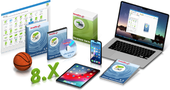
This box mockup shows a larger product-style package with a clean upright view and visible depth. It is suitable for software boxes, digital product packaging, online courses, training kits, templates, and commercial product previews.
The mockup helps transform flat artwork into a realistic promotional image that can be used on websites, landing pages, stores, banners, ads, and marketing materials. Shadow, reflection, background, and Auto-fit options help adjust the final render.
How to Create Your Box Mockup in 4 Steps
- Choose Camera Angle — Select your preferred 3D perspective and scene layout from the available presets.
- Upload & Crop Artwork — Add your flat 2D designs and use the built-in Crop tool to frame and align your graphics to each surface.
- Adjust Scene Settings — Toggle realistic shadows, customize the reflection on the surface, or adjust proportions to match your artwork.
- Render & Download — Click Render to preview instantly, then download your 3D visual in your preferred resolution.
More 3D Cover Templates

Rendering Options & Resolution Tiers
FAQ
When should I use this box mockup?
Use this mockup when you want to present a digital or physical product as a boxed package with a realistic 3D appearance.
Can this mockup be used for software products?
Yes. The box style is especially suitable for software, utilities, digital downloads, training products, and downloadable toolkits.
Can I create a 3D box mockup online?
Yes. You can create a 3D box mockup online by uploading your box artwork and rendering a realistic product-style preview directly in the browser.
Can I render a box mockup with a transparent background?
The free preview is available with a regular background. Larger renders and transparent PNG downloads may be available as paid options after the preview is generated.