
Registering 3D Text Commander
The demo version of the application is available free of charge. You can download it and explore all its features before making a purchase.
If you decide to proceed, simply purchase a license and activate the full version - no reinstallation required. To activate your license, please follow these steps:
When you restart the program, all the demo-version's restrictions will be removed, and your name will appear in the program's About window.
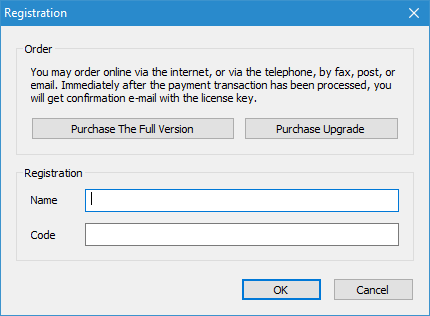
- From the Help menu, select Activate Product....
- Copy the Name you received upon completing your purchase to the clipboard.
- Paste it into the corresponding field in the activation dialog.
- Copy the Code to the clipboard.
- Paste it into the designated field in the same dialog.
- Click OK to finalize the registration process.
When you restart the program, all the demo-version's restrictions will be removed, and your name will appear in the program's About window.
Related topics
3D Text Commander